Guide · 29 October 2026
Exploring Leonida with the map and location database
Find places, check their sources and keep your own location shortlist without a community account.
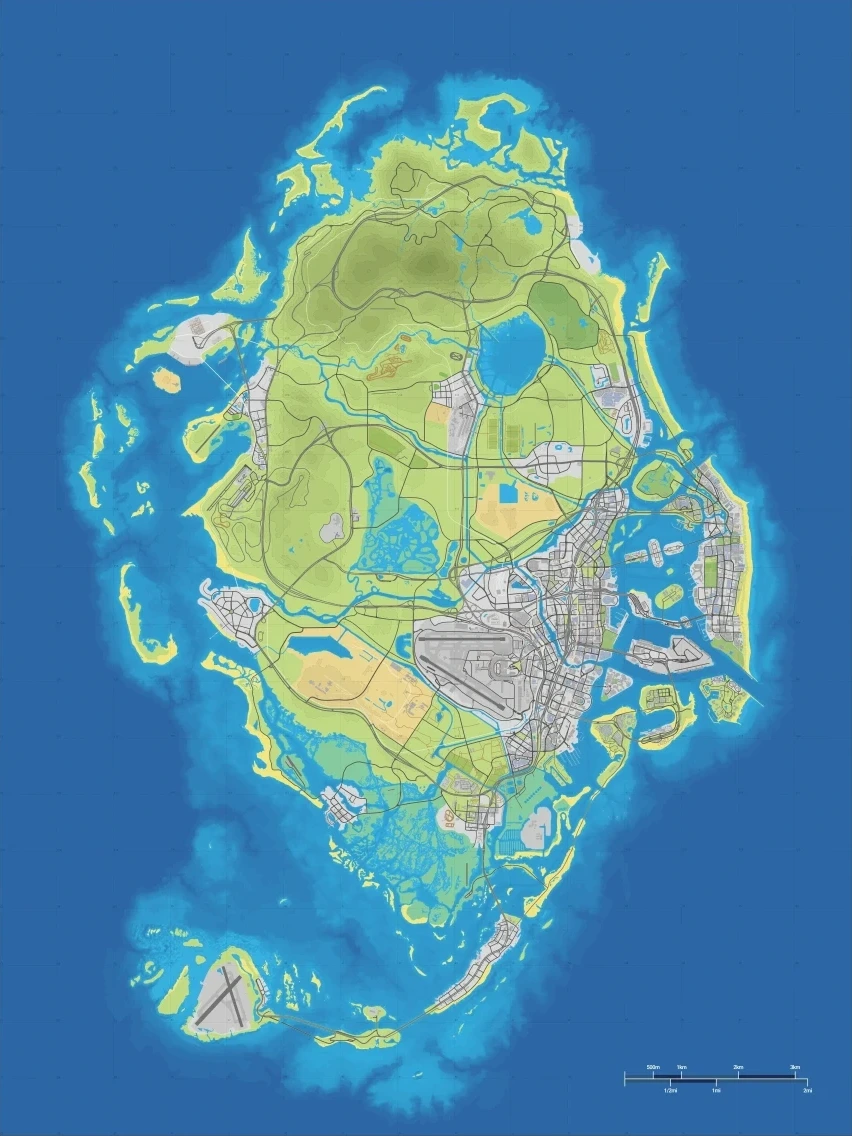
Explore the map
The GTA6Navi map uses MapLibre and the GTA6Intel Leonida map research. The basemap and its location pins share one coordinate grid. Drag to pan, scroll or pinch to zoom, use Home to see the full map, and use the compass to face north. The 3D button tilts the map on browsers with WebGL. A 2D compatibility view keeps the same map and positions available on other browsers.
Find a place
Search by name, type or X/Y coordinates. Choose a region, turn categories on or off, and use the type filter for a narrower list. Open Places to browse matching locations and select a result to open its details inside GTA6Navi.
Keep your own map
Save a place to bookmark it or mark it found to track your progress. Add my pin lets you name a spot on the map. Saved places, found places and private pins stay in this browser without an account. Copy link shares an internal GTA6Navi map link.
Measure and read coordinates
X and Y are game-world metres. Switch on the 1 km grid in Map options or use the ruler to measure a straight path between map points. Each click adds a segment; Undo removes the last point and Finish / clear ends the measurement.
Understand the evidence
Map positions are approximate until checked in the game. A place seen in a trailer is evidence for that place, not proof of an exact coordinate. Dashed markers identify positions still awaiting in-game confirmation.
Basemap: YANNIS. Pins and places: the GTA6Intel community of fans. GTA6Navi is an independent fan project.